HoneyBook Alternative: 10 Client Portals Compared (2026)
Client portal software should do more than give a customer another place to log in. The right setup gives clients a clear home for files, approvals, messages, progress and payments, while helping your team avoid re-entering the same information in several systems.
But here's the catch: a file-sharing workspace, a support portal and an all-in-one client workspace solve different problems. Choosing between them means looking beyond the login screen.
Why choosing a client portal is really a workflow decision
DesignRush's 2026 comparison of client portal tools is a useful starting point because it covers everything from document exchange to customer support.
One finding deserves attention: Progress Software's 2026 State of Client Collaboration survey of 355 professional-services firms found that businesses spend nearly 20 hours a week collecting documents and signatures, following up with clients and tracking tasks. At an average billing rate of $65 an hour, Progress estimated that this coordination work costs firms a median of almost $60,000 annually. More than 70% also said at least one in ten quarterly engagements is delayed by missing information or workflow problems.
The Progress announcement and research findings explain the methodology and findings. You can also explore the supporting client collaboration report. Progress sells collaboration software, so treat this as vendor-sponsored research rather than a universal benchmark.
That is why the best client portal software is not necessarily the one with the prettiest dashboard. Look at whether it supports the work your clients actually do: upload documents, approve deliverables, sign contracts, follow a project, ask questions or pay an invoice. Then check how much of that work connects to your CRM, finance and project records.
Two questions sort this list faster than any feature grid. First, what does each extra client cost you? Many portals count active contacts, portals or guest seats, so the bill grows with your client list. Second, where does a client's answer go? If an approval, an upload or a signature lands in a separate portal, someone on your team has to carry it into the CRM, the project and the invoice.
See also
10 client portal software tools to compare in 2026
These tools serve different needs, so the list is organised by use case rather than presented as a universal ranking. Pacten is included as a broader connected-workspace option; it was not one of the ten products in the DesignRush article.
1. Pacten — Best for a client portal connected to the whole business, with no per-client fees
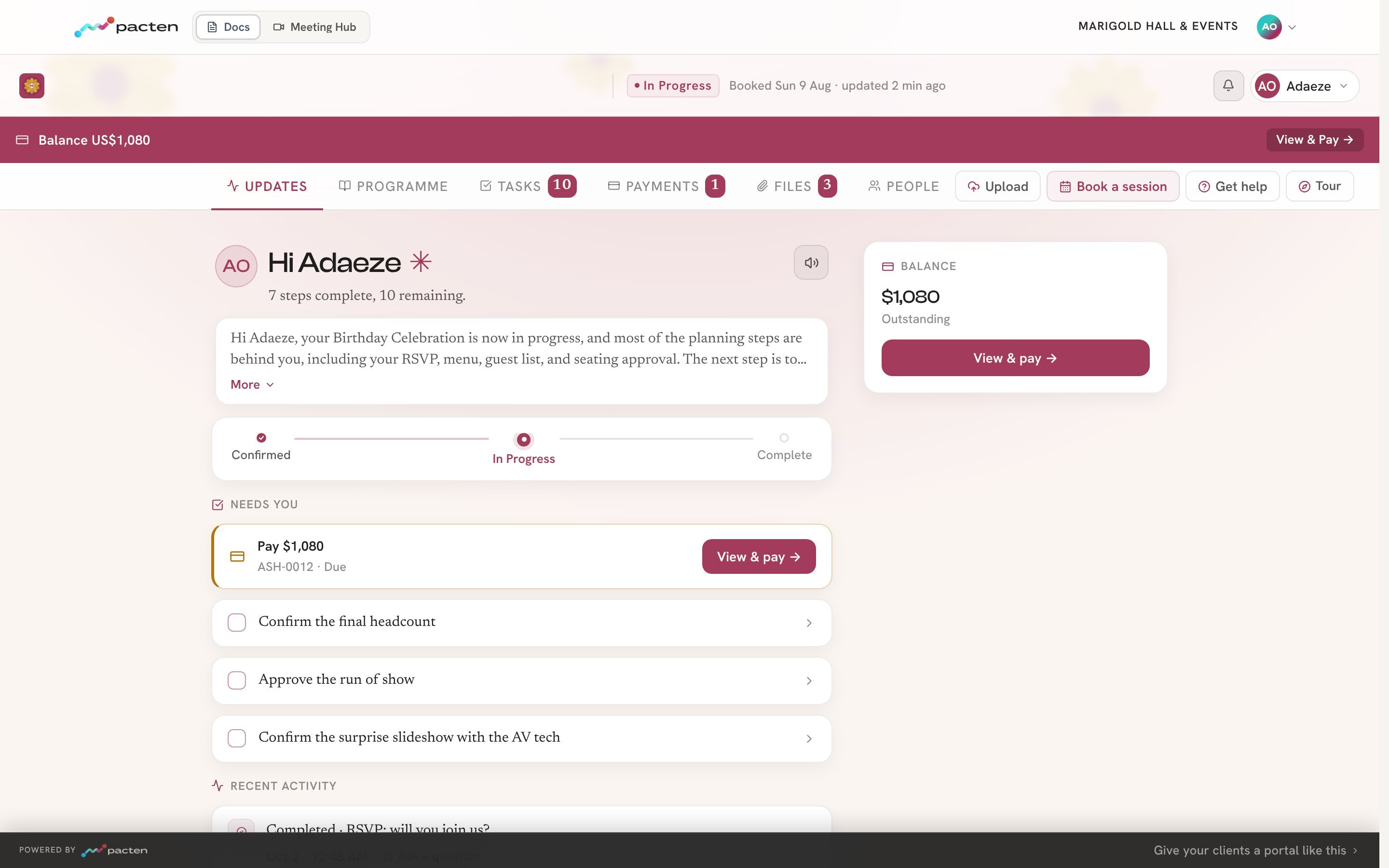
Most portals are a layer on top of your other tools. In Pacten, every client gets their own space and status page inside the workspace your team already runs on, so the CRM, bookings, contracts, projects, invoices and AI team all work from the same client record the client sees.
The status page carries your logo and colour and answers three questions: what is happening, what is next and whether the client needs to act. From it, clients mark tasks done or hand them in, upload files, approve a document or ask for changes, sign contracts, see their quote and invoice, book their next session with their details already filled in, and confirm the work is finished with a rating. They can also comment on any task. Your team is told in the app, by email and by text, replies from its Pacten inbox, and the reply appears on the client's page.
For creative work, the feedback loop is built in. Clients approve a file, approve it with small changes, or ask for changes with a note pinned to a spot on an image or a moment in a video, and can pick between options. When your team sends the next version, the client sees the old and new side by side, each change matched to their note. In Pacten Studio the same loop runs for social posts: an approval moves the post to approved on your content calendar.

Every answer lands where your team works. An upload goes into the client's documents, an approval moves the work on, and a signature moves the project forward. Nobody retypes what a client sent.
Clients never need an account, a password or a seat. They open their link and confirm with a code sent to them. Pacten bills only for your team, so it costs the same whether you serve ten clients or a thousand. It suits service businesses, studios and agencies whose work carries on after the contract is signed.
Read On: Pacten Client Portal Software
2. HoneyBook — Best for freelancers and creative businesses
HoneyBook connects lead capture, proposals, contracts, scheduling, invoices and payments in a client workflow. Its portal gives clients a place to find project details, files, messages and payment information.
It is a strong fit for photographers, designers, consultants and other independent service providers who want to manage bookings and get paid without assembling several apps.
One important limitation: HoneyBook currently supports business owners in the US, Canada, UK and Australia, so check availability before choosing it.
3. SuiteDash — Best for agencies that want white-label portals at a flat price

SuiteDash combines CRM, client portals, projects, invoicing, file exchange, forms and automation.
Its appeal is the pricing model: the entry plan includes unlimited CRM contacts, team members and portals, rather than charging for every client login. It offers extensive white-label controls, which can help agencies make the client area feel like part of their own service.
The trade-off is breadth: expect more settings and setup than you would with a narrowly focused portal.
4. Assembly (formerly Copilot) — Best for polished professional-services portals
Assembly focuses on the client experience: branded access, messaging, billing, apps and a CRM behind the portal. It also offers an app builder and pre-made apps for firms that want clients to complete specific tasks in one place.
Its free plan is useful for testing with a small group, while custom domains, removing Assembly branding and automation are reserved for paid tiers. Check active-contact and internal-user limits as your client base grows.
5. ShareFile — Best for secure document exchange

ShareFile is suited to businesses that exchange sensitive files with clients and need permission controls, document requests and secure sharing.
Its Premium tier adds more complete client-facing document workflows, including e-signatures and forms. This is a strong option for legal, financial and other professional firms where document security matters more than running projects or sales in the same system.
Note the minimum user requirement when calculating the real cost.
6. Onehub — Best for file workspaces and virtual data rooms
Onehub centres on secure cloud storage, file sharing and controlled workspaces. It is useful when clients need to review or exchange folders, or when a business needs a virtual data room for sensitive transactions.
It is less of an all-in-one client-management system: you may still need separate tools for bookings, proposals, invoicing and project delivery. White-label branding and custom-domain features are associated with its higher-end offering.
7. Glasscubes — Best for structured document collection
Glasscubes is particularly relevant to accounting and professional-services firms that repeatedly collect information from clients.
Its request lists, online forms, reminders and approval workflows help teams see which documents are outstanding without chasing every item by email.
The pricing structure includes a monthly account fee plus user licences, so compare the full cost for your team rather than looking at the entry figure alone.
8. monday.com — Best for project collaboration with external guests
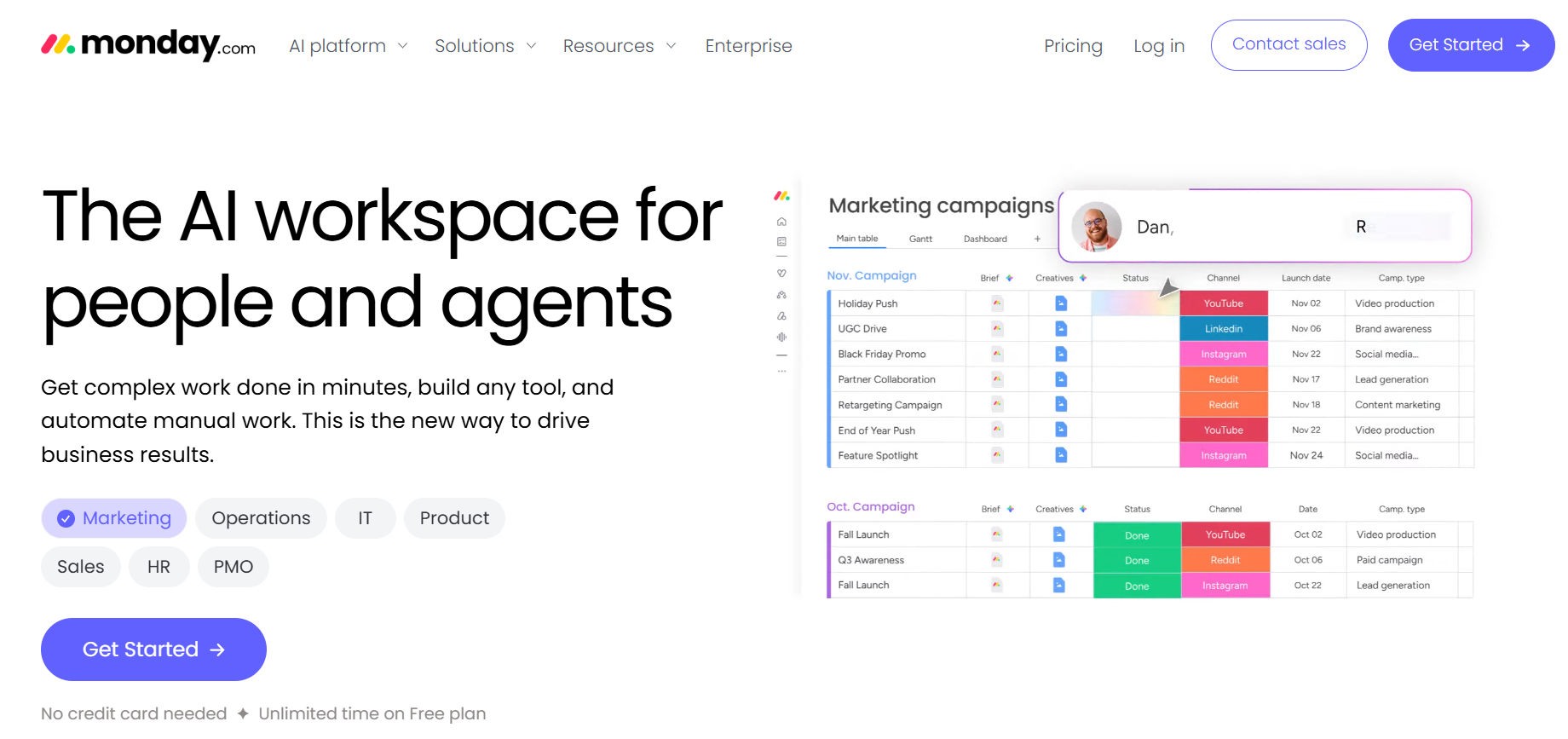
monday.com is a work-management platform rather than a dedicated client portal product. Teams can organise client work on boards, share updates and use guest access where the plan supports it.
It may suit agencies whose main requirement is keeping clients informed about tasks and project progress. However, a client-facing workspace may need careful board and permission configuration, and you may still need separate tools for contracts, billing and secure document collection.
9. Ahsuite — Best for freelancers who need a simple, low-cost portal
Ahsuite offers straightforward client portals for sharing files, assigning tasks, sending messages and embedding other content.
Its free plan includes up to 10 portals, making it a practical starting point for freelancers who want a separate space for each client without a large subscription.
Paid plans add unlimited portals, client billing and white-label options. It is intentionally lighter than a full business-management suite.
10. Zendesk — Best for customer support and self-service

Zendesk is primarily customer-service software. Its help centre, ticketing, messaging and AI-agent features help support teams manage incoming requests and let customers find answers without contacting an agent.
It belongs in this comparison for businesses whose portal is really a support destination. It is not designed to manage a consultancy project from proposal through delivery and payment, so distinguish a support portal from a client-work portal.
Client portal software comparison: use cases, features and prices
The table compares each product's main use case and published entry price. Prices are a snapshot checked on 10 November 2026. USD is shown unless stated otherwise; annual billing, minimum seats, contacts, add-ons and country-specific pricing can change the total.
Tool | Best use case | What clients can do | Starting price |
|---|---|---|---|
A client portal connected to CRM, projects, contracts and finance | Follow progress, hand in tasks, comment, upload, approve or ask for changes, sign, view quotes and invoices, book | From $49/user/month for your team; no per-client fees; 7-day Starter trial | |
Freelancers and creatives | View project information, sign contracts, message and pay | From $29/month, billed annually | |
Agencies wanting a white-label suite | Access branded portals, files, projects, invoices and forms | $19/month or $180/year; flat price | |
Branded professional-services experience | Message, access apps, view billing and complete client tasks | Free for 5 active contacts; paid from $29/month, billed annually | |
Secure document exchange | Upload, share, request and sign documents | From $16.50/user/month, billed annually; 3-user minimum. Premium with client workflows from $26 | |
Secure file sharing and data rooms | Access controlled workspaces and exchange files | From $12.50/user/month, billed annually; 3-user minimum | |
Accounting and document requests | Submit forms and files, respond to requests and track approvals | ||
Project collaboration | View shared boards and project updates, subject to guest permissions | Free for up to 2 seats; Basic from $9/seat/month, billed annually | |
Simple freelancer portals | Access shared files, tasks, messages and embedded content | ||
Customer support and self-service | Search help content, raise and follow support tickets | From $19/agent/month, billed annually |
Always confirm the current plan limits on the vendor's pricing page. For example, ShareFile's Advanced entry tier is focused on secure file sharing, while Premium adds client workflow features; HoneyBook's displayed price is from its US pricing page; and Glasscubes uses a base account fee plus per-user charges.
Read On
HoneyBook or Pacten: who fits which
HoneyBook suits an independent creative or consultant whose work is mostly booking, a contract and getting paid, in the countries it supports.
Pacten suits a business where a team delivers the work after the sale, and clients keep coming back to approve, upload, sign, ask about a task and check progress. Every one of those actions lands on the record your team, your finances and your AI team work from, and adding clients never adds cost.
How to switch
Bring your contacts in from a spreadsheet, so duplicates are caught on the way in. Set up one current client's work and send them their link: they do not create anything. Move the rest as each client's next piece of work starts, rather than all at once.
How to choose the right client portal software
Start with the client journey, not the feature list.
If you mainly collect tax documents or legal paperwork, a specialist document portal may be the best fit. If clients need to sign proposals, pay deposits and view project updates, look for a platform that supports the full service workflow. If customers mostly need to report problems and check answers, a support portal may be all you need.
Next, calculate the total cost for your actual team. A low per-user price can become expensive when you add staff, while a flat-rate platform may be better value as the client list grows. Check what is included in the entry plan: custom domains, automation, e-signatures, storage, extra portals and guest access may all sit behind higher tiers. And ask whether your clients count toward the bill at all.
Finally, ask where the client record lives. Does the portal share data with your CRM, calendar, contracts, invoices and projects, or will staff have to copy changes between systems? That is the difference between giving clients another login and reducing the work around every relationship.
If you want a client portal that is part of the workspace your team runs on, with no per-client fees, compare Pacten's features, integrations and pricing.
Try Pacten
Pacten's client portal should take work off your team, not add another place to keep up to date. With Pacten, every client gets their own space and status page on the same record your team works from, and adding clients never adds cost.
Explore Pacten and check the Starter plan, which includes a seven-day trial, and send your first client their link.
Continue Reading
Frequently asked questions
- Is Pacten a good HoneyBook alternative?
- Yes, when a team delivers the work after the contract is signed. Every client gets a space and status page connected to your workspace, where they approve, upload, sign, comment on tasks and follow progress, and it all lands on the record your team works from. Clients never cost you a seat. If you work alone and your work ends at a booking, a contract and a payment, HoneyBook covers that well.
- Does Pacten charge per client?
- No. Clients never need a Pacten account, a password or a seat. Pacten bills only for your team, so a business pays nothing extra per client, however many it serves.
- How do clients give feedback in Pacten?
- From their own link. They approve a file, approve it with small changes, or ask for changes with a note pinned to a spot on an image or a moment in a video, and can comment on any task. Your team is told in the app and by email and replies from Pacten. When you send the next version, the client sees the old and new side by side.
- Is there a client portal with invoicing and contracts?
- Yes. In Pacten the client signs the contract and sees their quote and invoice from their own status page, on the same record as the deal and the project, so a signature moves the work forward on your side without anyone updating it by hand.
- What is client portal software?
- Client portal software gives clients a secure place to follow their work, exchange files, approve deliverables, sign documents and see what they owe. Some tools are built for file sharing or support tickets; others, like Pacten, connect the portal to the CRM, projects and finance behind it.
- What is the best free client portal software?
- Free plans usually cap clients: Ahsuite's free plan allows up to 10 portals and Assembly's five active contacts. Pacten has no client cap and no per-client fee: you pay for your team's plan, and every client gets their own space and status page.
- Does Pacten AI send things to clients on its own?
- No. Pacten AI prepares replies, follow-ups, reminders and drafts, then waits for a person's yes before anything is sent, published, paid or changed. Every action is logged.
- Can I try Pacten before I commit?
- Yes. The Starter plan is free for 7 days. Operator and Platform bill from day one. Plans are priced per user with no minimum, and prices are on the pricing page.